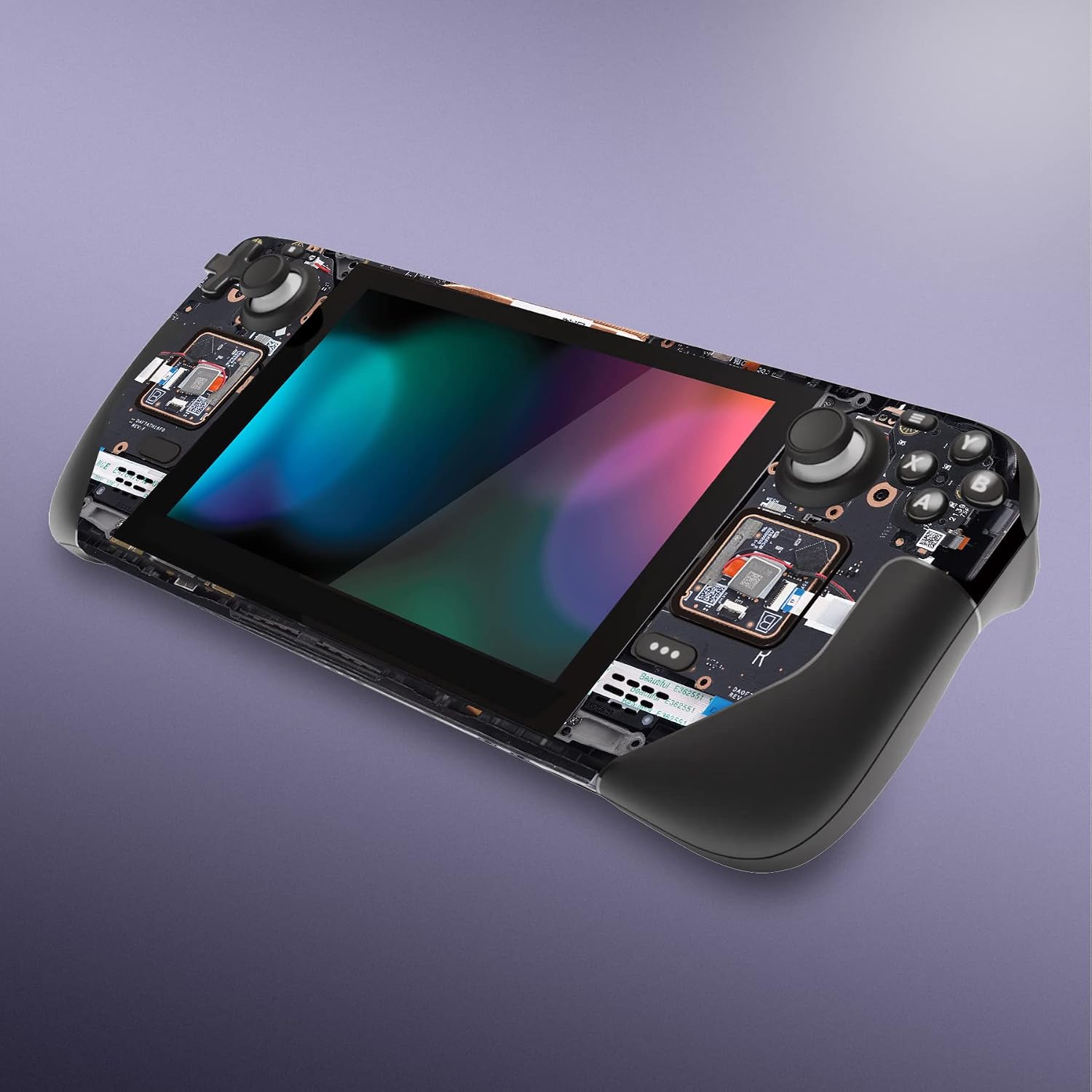
If you’ve been thinking about putting a skin on your Steam Deck — a thin, adhesive vinyl wrap (think of it like a precision-cut sticker engineered for devices) that protects the surface and lets you personalize the look — you’ve probably already noticed that the buying process is messier than it sounds. There are two distinct hardware versions on the market right now: the original LCD model and the newer OLED model released in late 2023. They look similar but have meaningfully different dimensions and surface geometry, which means skins are not interchangeable between them. Layer on top of that a half-dozen finish options (matte, carbon fiber, brushed aluminum, and more), plus the fact that the Steam Deck’s grip-heavy ergonomic shape makes application trickier than a flat phone back — and you’ve got a decision worth thinking through carefully. This guide is built for the reader who already knows roughly what a skin is but wants to make the right call on model compatibility, finish, and application technique before committing.
Why the OLED Model Changes Your Skin-Buying Calculus
This is the single most common gotcha in the Steam Deck skinning space right now, and it’s worth addressing head-on before anything else.
The Steam Deck OLED — reviewed in detail by The Verge in November 2023 — is not simply the same unit with a better screen. Valve redesigned the chassis with subtly different dimensions, repositioned vents, and a revised contour along the rear shell. Per Valve’s own published hardware documentation, the OLED unit is approximately 1.4mm longer than the LCD and features a slightly modified grip curvature. That sounds negligible until you try to fit an LCD-cut skin onto an OLED unit: you’ll get panel gaps at the edges, bubbling at stress points, and misaligned cutouts around the thumbsticks and vents.
The practical rule: Always filter by model at purchase. Reputable vendors — Dbrand, Skinit, and boutique Etsy studios — now list skins separately as “Steam Deck LCD” and “Steam Deck OLED.” If a listing doesn’t specify, contact the seller before ordering. Generic or unbranded skins on budget marketplaces almost never distinguish between models as of mid-2026.
Dbrand’s Steam Deck OLED skin product page explicitly calls out the dimensional difference and uses separate die-cut (laser-precision-cut to match the device’s exact outline) templates for each version. That level of template specificity is one of the clearest ways to benchmark a vendor’s quality tier before you buy.
By the Numbers: LCD vs. OLED Key Differences That Affect Skin Fit
| Dimension / Feature | LCD Model | OLED Model |
|---|---|---|
| Overall length | ~298mm | ~299.4mm |
| Display diagonal | 7-inch LCD | 7.4-inch OLED |
| Rear shell contour | Original grip curve | Revised, slightly deeper ergonomic curve |
| Skin template compatibility | LCD-specific cut | OLED-specific cut — not interchangeable |
Sources: Valve hardware documentation; Dbrand OLED skin specification notes.
Finish Options: The Tradeoffs You’ll Actually Feel in Your Hands
The Steam Deck’s grippy textured plastic shell is an interesting surface to work with. Unlike the smooth glass backs of flagship phones, the stock texture already provides tactile feedback — which means some skin finishes will layer with that texture, and some will effectively replace it.
Matte Finish
Matte skins (a finish that scatters light to eliminate glare and fingerprints) are the most popular choice across aggregated reviews, and it’s easy to see why. They maintain grip close to the stock experience, hide skin oils and smudges effectively, and photograph well for content creators. Skinit’s application instruction documentation notes that matte finishes also tend to be the most forgiving during application because micro-bubbles are less visible during the squeegee phase and dissipate more readily.
One tradeoff: matte skins on a textured shell can add a small but noticeable increase in surface drag. Some owners — particularly those who play in extended sessions — find this slightly fatiguing. If you’re one of them, a satin or semi-gloss finish sits closer to frictionless.
Carbon Fiber and Textured Finishes
Carbon-fiber-pattern skins use a real texture embossed into the vinyl, not just a printed pattern. Dbrand’s “Robot Camo” and true carbon fiber SKUs, for example, use a three-dimensional surface texture. Owners consistently report that these add a premium tactile layer without meaningfully changing the overall grip geometry. The visual effect is dramatic — it reads clearly even at arm’s length in streaming setups.
The tradeoff here is conformability. The Steam Deck’s rear grip areas have compound curves (surfaces that curve in two directions simultaneously, like a saddle shape). Textured vinyls have lower stretch ratings than flat cast vinyls, meaning they’re more likely to resist conforming cleanly around those curves without heat assist. We’ll cover heat technique in the application section below.
Brushed Aluminum and Metallic Finishes
These are the most visually striking and the most punishing on application errors. Metallic finishes have a grain direction — the visual “brushing” pattern runs one way — and any misalignment is immediately obvious. Reviewers at PCMag’s accessories roundup consistently identify metallic skins as the highest-risk application for beginners due to this directional alignment demand.
If you’re going metallic on the Steam Deck, the recommendation that surfaces repeatedly in long-run owner reviews: dry-fit (position without activating adhesion) every panel before committing, work with bright overhead lighting, and apply back panel pieces before front pieces so you calibrate the grain direction on the lower-visibility surface first.
Holographic and Color-Shift Finishes
A specialty tier, but growing in demand in the hype-adjacent gadget community. Holographic skins shift color with viewing angle. The key tradeoff is longevity: per Avery Dennison’s MPI 1005 and MPI 1105 technical data sheets, holographic and prismatic overlaminates (the clear protective layer bonded over the printed vinyl) have a shorter rated outdoor durability than standard cast films. For a handheld device used mostly indoors, this is largely academic — but owners who take their decks outdoors frequently (commuters, outdoor event attendees) note that metallic and holographic finishes show UV-related dullness before matte skins do under comparable exposure.
Application Technique: Where the Steam Deck Gets Specific
The Steam Deck is not a difficult device to skin, but it has three zones that require deliberate technique: the rear grip curves, the thumbstick surround panels, and the trigger-to-body seam.
The Rear Grip Curves: Heat Is Your Friend
Standard application guidance — squeegee outward from center, no heat needed — applies to the flat front panel and most of the back. The curved grip zones are the exception. Cast vinyl (the type used by Dbrand, Skinit, and most precision-cut vendors) is engineered to stretch and conform with heat, but it won’t do that reliably at room temperature on a compound curve.
The technique that owner communities consistently recommend: use a heat gun or hair dryer set to low, warm the skin panel for 10–15 seconds before pressing it into the curve, and use your thumb (not a hard squeegee) to work the material into the contour. The goal is to activate the vinyl’s conformability without overheating the adhesive. If you see the adhesive start to bubble away from the surface after cooling, you’ve used too much heat — gently peel back, let it cool, and reapply.
Thumbstick Surround Panels: Precision Over Speed
Most precision-cut skin kits include small individual panels for the thumbstick surrounds and face-button zones. These are the pieces most often installed crooked. The fix is simple: use a reference edge. Line up the inner cutout (the hole for the thumbstick shaft) first, not the outer edge of the panel. The cutout is machined to tight tolerances and gives you a reliable center point. Once the cutout is seated, lay the panel outward rather than pressing inward.
The Trigger-to-Body Seam
The Steam Deck’s triggers and bumpers are separate molded parts from the main chassis. Most skin kits wrap the main chassis only and leave the triggers bare. A few boutique studios (and some Etsy artists offering custom jobs) produce trigger-specific accent pieces. If your kit includes these, apply them last — they often overlap the main chassis panel slightly, and getting the chassis piece down first gives you a clean edge to butt against.
Decision Framework: If X, Then Y
Here’s the clear grid for the decision you’re most likely facing:
If you own the OLED model and haven’t skinned before: Start with a matte finish from a vendor that explicitly lists an OLED-specific cut. Matte is the most forgiving finish for a first application and the best match for the revised grip geometry. Dbrand and Skinit both produce OLED-specific templates as of 2024.
If you want maximum visual impact for streaming or content: Carbon fiber or holographic. Expect to spend 30–45 minutes on the application, not 15. Have a heat source ready.
If you’re coordinating across devices (phone, earbuds, controller): Check that your chosen vendor covers all your target devices before committing to a colorway. Some boutique studios run seasonal colorways across a limited device roster — verify availability before ordering the full kit.
If you’re applying at volume (fleet personalization, content studio): Matte cast vinyl, purchased in matched sets, from a vendor with a bulk discount tier. The per-unit price difference between single orders and 10+ unit orders at Skinit can reach 20–25% per publicly listed tiered pricing. Factor application time at roughly 20–30 minutes per unit for the Steam Deck specifically — it’s slower than a phone due to the grip geometry.
If you want to remove the skin cleanly later: Stick with established cast vinyl vendors. Per Skinit’s material FAQ, properly applied and removed cast vinyl leaves no adhesive residue on most plastic surfaces when removed at room temperature. Avoid budget skins with aggressive pressure-sensitive adhesives — owner accounts are consistent that these leave residue or pull texture off the stock grip.
The Steam Deck is one of the more rewarding devices to skin precisely because the stock aesthetic is so polarizing — the matte black of the base model is functional but visually inert, and a well-applied wrap transforms it into something that reads as intentional. The OLED model upgrade made that canvas slightly more complex to work with, but it didn’t make it harder — just more specific. Know your model, choose a vendor that knows it too, and give the grip curves the heat they need. The rest is patience.